Find your bearings
Explore an interactive map of stars, planets and constellations. Use guided directions and visibility information to understand where to look.
 AstraScope
Your night-sky companion · iPhone & iPad
That bright point overhead? Start with a name. Explore stars, planets and constellations with AstraScope’s interactive sky map, then discover the stories and details beyond them.
See the App Store for current pricing, purchases and device requirements.
Your first session
Start with a small question, not every tool at once. The sky map and object details give you a practical place to begin.
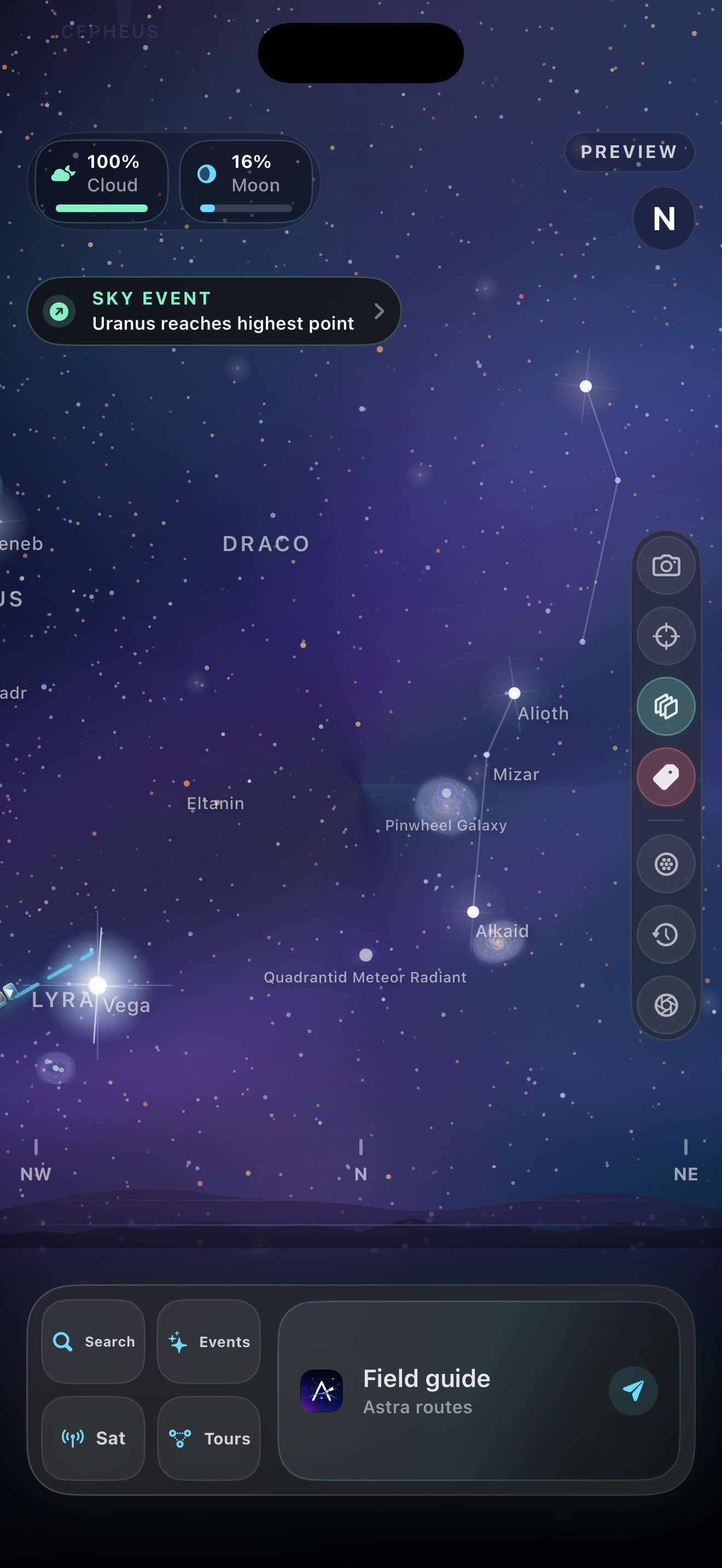
Check the map’s observing location and time before comparing it with the sky. A preview of another time or place will show a different view.
Learn to read the mapChoose a star, planet or constellation on the map, then use its directions and visibility information to decide where to look. A clear horizon matters more than a long target list.
Choose a simple first sessionCompare what you see with the map and open the object’s details. If it is hidden by cloud or your horizon, choose another target or return on a clearer night.
Understand the conditionsCheck the App Store and the app for current access, optional purchases and billing terms. This walkthrough is not a claim that every feature is free.
From a first glance to a closer look
Explore an interactive map of stars, planets and constellations. Use guided directions and visibility information to understand where to look.
Open object details and survey imagery to learn about galaxies, nebulae and other deep-sky objects beyond a point of light.
Explore satellites and meteor showers alongside the sky map. Use the app’s observing tools to prepare for a session outdoors.
A map helps you locate an object; it cannot make that object visible. Weather, your horizon, light pollution, the Moon and your equipment all affect the view.
A little preparation, a better first night
You don’t need a telescope to begin. Our first-night guide covers choosing a safe spot, reading a sky map and setting realistic expectations for what you might see.
Read the beginner’s guideThe field guide
Connect time, location and a small pattern to the real view.
Compare spots safely and choose targets that fit the conditions.
A repeatable learning session using just your eyes and a map.
Record clues without turning a guess into an identification.
Read phase, local timing and weather together.
Before you head outside
AstraScope is available on the App Store for iPhone and iPad. Check the listing for the current operating-system requirements and regional availability.
Not to get started. Bright stars, some planets and the Moon are possible naked-eye targets when they are above your horizon and conditions allow. Binoculars or a telescope can reveal additional detail. Read our beginner’s guide before your first session.
Start with the first-session walkthrough: check the map’s location and time, choose one bright target, and explore its details. This site does not run the app, identify what is above you, or promise that a target will be visible.
The App Store listing and the app’s purchase screen show current options for your account and region. Check the full billing period, renewal terms and any offer eligibility before confirming a purchase. We do not quote fixed prices or promise a trial on this website.
No. This website introduces the app and provides general guidance. The screenshot is a dated example, not a live sky map or weather report. Use your observing location and time in the app, and check local conditions before travelling. Our weather guide explains forecast times, missing values and observing scores.
Our support page lists practical checks and the details to include when contacting the studio.
One clear night. A new perspective.